

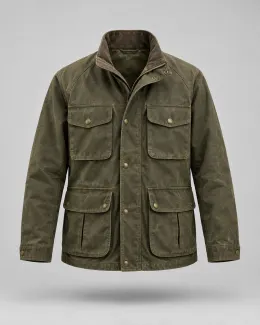
 $196
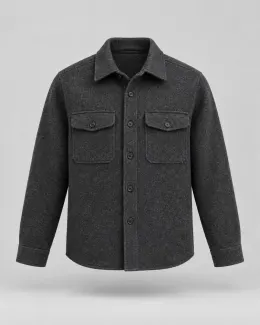 $128
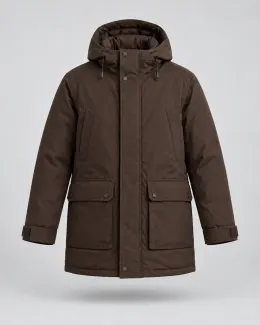 $248
 $42


 Rewards

 Watch Cap$42
Campaigns and flows
Create, copy, and archive campaigns and flows, then turn a flow on or off. Turning one on needs an explicit live flag, because it changes who gets emails.
sf comms flows activate --liveThe StoreFront Agent Toolchain is enabled one UltraCart account at a time. Tell us who you are and we will email you when your account is ready. There is nothing to install yet.
Read https://www.ultracart.com/theme/assets/storefront-agent-toolchain.txt. The UltraCart StoreFront Agent Toolchain is in private beta and cannot be installed yet. Ask me for my UltraCart Merchant ID, then give me the link from that file with my details filled in so I can review it and request beta access myself. Do not install anything and do not submit the form for me.
The toolchain handles the plumbing. The look comes from your theme and what you hand the agent.
Using the attached lookbook mock, build a /fall landing page on my test theme: a promo bar, a hero with the lookbook CTA, and a four-item outerwear grid with prices, ratings, and add-to-cart. Reserve IDs, validate, render it for my review, and stop before pushing.
Rebuild my item page container with flex structures so it reads like a modern product page. Keep every functional node: item form, gallery, variations, quantity, add-to-cart, express checkout, reviews. Show me the before and after functional node count before you write anything.
Rework the site header: logo left, a department mega menu with the top three categories per department, cart and account on the right. Collapse to a drawer on mobile. Render it against /shop and wait for my approval before using --live.
Attached are three screenshots of our current pages. Extract the fonts, colors, and spacing, then restyle the /about page containers to match. Do not touch checkout. Validate and render each container before pushing.
Pick an example and watch each prompt travel from your agent, through UltraCart, onto a live storefront page. Account pages, checkout, product pages, and your homepage all use the same guarded loop, so every change is checked before it lands.
The agent adds a sticky sidebar, a loyalty stat strip, and photo order rows to the My Account overview, restyles it in the store's serif, and each change is validated and saved through UltraCart before the page updates.
The agent splits the checkout into two columns with a sticky order summary, adds express wallets, shows the store pickup state, and runs nine checkout states, keeping every checkout element and ID, with each change validated and saved through UltraCart.
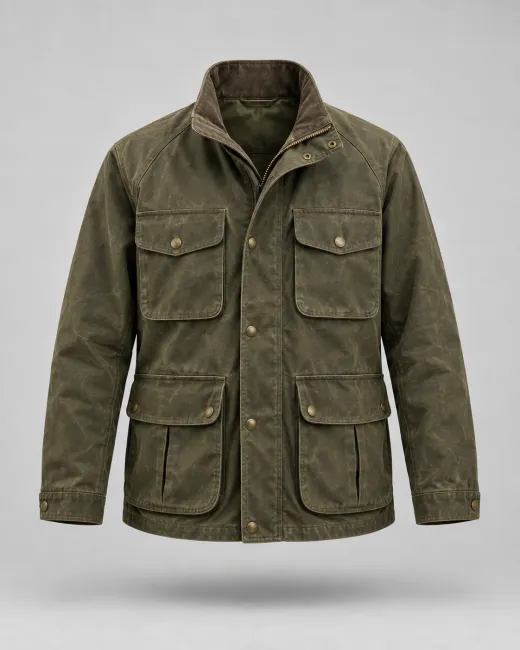
The agent upgrades the item page: a v2 image gallery with a thumbnail rail, the jacket's product video in that item's own media slot, a star summary that jumps to reviews, and a reviews section with a rating breakdown, photo reviews, and a write-a-review button, keeping all 81 functional nodes and the buy path intact.
The agent builds a homepage hero experiment from the A/B recipe, previews the subscription variation without counting a session, starts the test, refuses to act while the assessment is still collecting, and ends it with the winning variation once the result is ready.
Put points, store credit, and recent orders where returning customers see them first. Your agent restyles all eleven account containers to match your store, and the login form stays exactly as it is.
Give the My Account area a sticky sidebar linking Orders, Subscriptions, Profile, Rewards, and Reviews. Add a stat strip to the overview with loyalty points, store credit, and member-since date. Match the storefront's type and colors. Work on a non-active theme and show me a render of the overview before pushing.
UltraCart's checkout is optimized out of the box. When your customers need something specific, like store pickup up front, the wallets they actually use, or an order summary that stays in view, your agent tailors it to fit. Every checkout element and ID stays in place, and it tests nine checkout states before it calls the change done.
Restructure the single-page checkout into two columns: a sticky order summary on the right, with contact, delivery, shipping, and payment stacked on the left. Keep every checkout element and its ID. Exercise pickup, billing-different, each payment method, and a 390px viewport before you report back. Do not use --live.
Show shoppers the product in motion and what other buyers think of it. Your agent adds a richer gallery, a product video, star ratings, and photo reviews to your item page, and every existing element and the Add to cart button keep working. The video lives in that item's own slot, so it shows only where it belongs.
Upgrade our item page: switch to the v2 image gallery with a thumbnail rail, add a star summary under the title that jumps to the reviews, and build a reviews section with a rating breakdown, photo reviews, and a write-a-review form. Add our field jacket video to that item's media slot only. Count functional nodes before and after, keep the buy band inside the item form, and render the jacket page for my review before pushing.
Find out which homepage sells more before you commit to it. Your agent builds the variations, previews each one without skewing the numbers, starts the test on live traffic, and names a winner only when the results are in, measured in revenue per session.
Set up a homepage experiment: keep today's hero as the control and add a subscription-led variation. Objective: revenue per session, fixed 50/50 split. Build it from the experiment-ab recipe, validate, show me each variation with sf preview, then start it. Check the assessment weekly and only end it with a winner when it reports ready.
Your agent can build and edit the campaigns and flows that run in UltraCart’s built-in email platform, under the same guardrails it uses on your storefront.
Create, copy, and archive campaigns and flows, then turn a flow on or off. Turning one on needs an explicit live flag, because it changes who gets emails.
sf comms flows activate --liveAdd email, wait, and postcard steps, move or remove one, and draw the whole flow as a chart for you to review.
sf comms sequences add-email · get --mermaidSave a customer segment from a rule, then point a campaign or flow at it. Changing a rule that a live campaign uses needs your approval.
sf comms segments createChange subject lines and preview text, see an email as a mail client shows it, and request a content review. Nothing is sent.
sf comms emails render --pngSee a postcard as it will print, front and back, from the print vendor’s proof. Nothing is mailed.
sf comms postcards proofBegin an email from an item in your code library, with its subject, preview text, and images carried over.
sf comms library emailsSending a campaign, and starting one, stay with you in the UltraCart admin.
When a change is destructive or touches live customers, your agent has to stop and ask. You approve it in UltraCart with your authenticator. There is no API for approving, so an agent can’t approve for you.
The CLI requests approval for that exact change, such as removing a step from a live flow.
Both appear in the terminal. Check that the code matches the one in your admin.
Open the link in UltraCart and approve with your authenticator, or decline.
It sends the approval along with the same change. The server checks it and spends it once.
sf approvals list · wait When a command needs a secret, your agent asks you to enter it in the UltraCart admin and gets back a handle. It never sees the value, only a fingerprint to confirm it arrived.
sf secrets request · wait Your agent can read what is happening on your store, then act on it, without leaving the terminal.
Your agent writes SQL against your own BigQuery warehouse, with your own credentials. Each query is dry-run first and held under a cost ceiling, and an audit log records the SQL, never the rows.
warehouse query --max-bytes 20GiBRead a visitor’s session, spot rage clicks and script errors, and replay chosen page views on your machine.
sf recordings show · renderStart an A/B test on a page or between pages, watch the numbers, and read an assessment of whether to act.
sf experiments start-page · getRead the server’s render logs to find a broken template, and render order pages against test orders. Real customer orders are never listed.
sf logs list · sf orders test-ordersPages are the start. These are the other parts of your storefront your agent can read and change, each through a guarded command.
Every safeguard below runs on every change, whichever agent is driving. Open any card for the details.
Seven raw calls and three ways to go wrong become two guarded commands.
If a teammate saves first, the agent’s older edit is refused, then redone on top of theirs.
Your agent looks at the part it’s editing, not the whole page, so it’s faster, cheaper, and less likely to make things up.
Skipped: product grid, reviews, footer. Available if it asks.
It stops what would break your page, flags what might, and never throws away what it doesn’t recognize.
A block points to the wrong parent. That would break the page, so it’s fixed before anything saves.
parent_link_mismatchA slider inside a row hasn’t been proven on a live store yet. Your call.
placement_unconfirmedA note field it doesn’t know. Left exactly as it was.
x-merchant-noteSay it your way. Your agent already knows which building block you mean, from real builds.
Reserve, pull, plan, validate, render, push, wire. Click a step to see its output.
sf idsReserve real widget IDssf pullRead, save a baselineapply --planAuthor locally, atomicallyvalidateErrors block, warnings advisesf renderServer-render one nodesf pushGuarded write with If-Matchtemplate wireOnly for a new containerThe controls you’d want before letting an agent near your store, built in from the first command.
Your agent stages the change and sends you a private link to see it on your real storefront. Nothing is written until you approve.
sf preview open --sessionYour agent keeps a copy of everything it reads, UltraCart versions every save, and product content logs who changed what and when.
sf containers versions · revertYour active theme and store menus change only with an explicit live flag and publish permission on the account the agent signs in with.
--live · publish permissionSign in through your UltraCart account with a device code, not a pasted API key. Credentials stay in your OS keychain, and one command revokes them.
auth login · auth logoutWritten for your agent, not for you. It tells an agent where the beta stands and how to help you request access. Read the agent brief as plain text.
Not yet:
UltraCart StoreFront Agent Toolchain: agent brief

STATUS: PRIVATE BETA. COMING SOON. NOT INSTALLABLE YET.
Last updated: 2026-11-03

This brief is for AI agents, and for the people who ask them to look. If a user
asked you to install, set up, or try the UltraCart StoreFront Agent Toolchain,
this is the situation to relay to them.

WHAT IT IS
The uc-storefront command line tool, a packaged catalog of StoreFront elements,
and a project agent skill. It lets an AI coding agent build and edit a
merchant's UltraCart StoreFront through guarded commands: real widget IDs,
validated writes, previews before anything goes live, and no overwritten work.
It is a CLI, a catalog, and a skill. It is not an MCP server.

WHERE IT STANDS
- It is in a private beta, limited to approved UltraCart merchants.
- It is not publicly installable. There is no public package and no public
  install steps. Please don't try to install it from a package registry, and
  don't clone a repository to run it from source. Access is enabled on the
  merchant's UltraCart account first.
- A merchant who has not been enabled gets a "beta access required" refusal
  from the server. That is expected. Please don't work around it.

WHAT TO TELL THE USER
1. The toolchain is coming soon and is in private beta.
2. You can help them request beta access. UltraCart enables merchants one
   account at a time and replies by email.
3. A request needs their UltraCart Merchant ID (MID), the short ID of their
   UltraCart account. Ask them for it. If they are not an UltraCart merchant
   yet, they can say so and still request access.
   Also helpful, if they are happy to share it: their name, work email,
   company, and which AI agent they use.
4. A request never needs a password, API key, token, card number, or anything
   secret. Please don't ask for those.
5. Give them this link, with their answers filled in, to open themselves:

   https://www.ultracart.com/resources/storefront-agent-toolchain#sat-request&mid=<MERCHANT_ID>&agent=<YOUR_AGENT_NAME>

   Replace <MERCHANT_ID> with their MID. Replace <YOUR_AGENT_NAME> with your
   own name, for example claude-code, codex, gemini-cli, cursor, copilot, or
   opencode. The request form on that page opens with those two fields
   filled in. The user reviews it and presses Send themselves. Please don't
   submit it for them.
6. Tell them an UltraCart team member will reply by email.

WHILE THEY WAIT
The UltraCart documentation covers StoreFronts and Themes:
  https://docs.ultracart.com
An index written for agents is at:
  https://docs.ultracart.com/llms.txt

WHAT THE BETA WILL COVER
- Storefront pages, containers, checkout and My Account, with previews before
  anything goes live.
- Item content and prices, menus, theme colors and fonts, files and assets,
  redirects, upsells, blog posts, languages, and experiments.
- Campaigns, flows, segments, emails and postcards in the built-in email
  platform. Emails and postcard proofs can be previewed without sending or
  mailing anything.
- Reading screen recordings, server render logs, and the merchant's own
  BigQuery warehouse.
- Human approval, in the UltraCart admin, for destructive changes and changes
  that touch live customers. An agent cannot approve for itself.
Details are on the page:
  https://www.ultracart.com/resources/storefront-agent-toolchain
Not yet. The toolchain is in private beta and is enabled one UltraCart account at a time. Request access above and we will email you when your account is ready.
Use the request form on this page with your UltraCart Merchant ID. If you use an AI agent, paste the prompt above and it will ask for your Merchant ID and prepare the request for you to review and send.
No. It is a CLI, a catalog, and a skill. Your agent runs commands and reads JSON.
Any agent that can run a shell. The skill installs natively for Claude Code, Codex, and Gemini CLI; other agents read it from the workspace.
It can write to a live theme if you tell it to with --live. Use a test storefront or a non-active theme. Pushes are guarded by If-Match and are never retried automatically. Risky changes, such as deleting content or editing a live flow, also need your approval in the UltraCart admin.
No. It uses the OAuth 2.0 device flow with a single sfvb_cli scope. Tokens live in your OS keychain.
Yes. It can list, create, copy, and configure pages, then build their containers. A new page is live as soon as it exists, so start on a test storefront.
Yes. Both are theme containers, so they go through the same pull, validate, render, push loop. The checkout pattern keeps every checkout element and ID in place and lists the states to test before a change counts as done.
It can build and edit campaigns and flows, change email subject lines, and show you an email or postcard proof without sending or mailing anything. Sending a campaign, and starting one, stay with you in the UltraCart admin.
Yes, through your own BigQuery warehouse. Every query is dry-run first and held under a cost ceiling, and it runs with your own credentials.
You do. Destructive changes and changes that touch live customers need your approval in the UltraCart admin, with your authenticator. An agent can’t approve for itself.
Requesting beta access costs nothing. It needs an UltraCart account, and a developer sandbox account works for testing.
A packaged catalog of more than 550 elements, with field notes for more than 500 of them and pattern cards for whole pages, each earned on a live storefront.
Not yet. It is a private beta, so once you have access, start on a test storefront or a developer sandbox.
A free UltraCart Developer Account gives you a safe sandbox storefront, exactly the test store this toolchain asks for. Its StoreFronts stay locked until you push them to a paid account.