

Ecommerce Fulfillment Integration: What to Ask Before You Sign
Choosing a warehouse is the easy part. The ecommerce fulfillment integration between your store and that warehouse is what decides whether o…

The usual way to manage multiple ecommerce stores is one account per store, and every new store brings another subscription, another catalog to keep in sync, and another order screen to check. Before you open the next one, ask two questions: does this idea need its own store, and if it does, does that store need its own account? Here's how to decide, and how to run several storefronts from one account when the answer is yes.
Choosing a warehouse is the easy part. The ecommerce fulfillment integration between your store and that warehouse is what decides whether o…

Setting up fraud rules for online stores is usually where good intentions go to die: the settings page is long, the defaults are empty, and …
Drive traffic, conversions, and repeat customers.

Google Tag Gateway recovers the conversion and analytics data your store loses to ad blockers and Safari privacy limits, then hands it back …

A visual calendar makes it simple to schedule email campaigns weeks in advance, see your whole sending plan at a glance, and avoid stacking …

AI product descriptions can save hours every week, but lazy AI workflows produce thin copy that hurts rankings, frustrates shoppers, and now…

UltraCart’s native Flows engine uses centralized ecommerce data to power behavior-based customer journeys, triggering messages from real act…

Discover how UltraCart’s built-in loyalty program eliminates common eCommerce pain points such as high costs, complex integrations, and low …

Looking to supercharge your ecommerce growth without breaking the bank? Our Quick Start Guide shows you how to leverage affiliate marketing …

Effective communication and marketing are pivotal for ecommerce success, and UltraCart offers robust tools to help you achieve this—all with…

Customer reviews are essential for eCommerce success—they build trust, improve SEO, and influence purchasing decisions. With UltraCart’s Rev…

TikTok has rapidly become one of the world’s most popular social media platforms, drawing over 1 billion monthly active users, particularly …

Tired of losing valuable tracking data to ad blockers and privacy tools? UltraCart’s new UTM Shortcodes feature ensures your marketing effor…

Dive into the key benefits of adding SMS communication to your eCommerce strategy and then explore how simple it is to implement within Ultr…

Encouraging customers to write reviews after a purchase is a powerful tactic to build trust, enhance product offerings, and boost customer l…
Even in the days of massive retail sites with thousands of products that are often "bulk uploaded" from a database, product descriptions are…
The growth in online sales continues to attract more entrants to the segment. But as with any enterprise, there are keys to making sure that…
By 2014 the affiliate channel is projected to reach $4 billion. What is affiliate growth attributed to Many online merchants who have taken …
Embracing social media eCommerce and maximizing its advertising potential can catapult a business to financial success. With popular website…
Attractive photos and compelling product descriptions are critical components of your shopping cart module, and can make a drastic differenc…
There's very few marketing approaches for online retailers as effective and cheap as email marketing. Shopping carts and e-mail marketing go…
eCommerce SEO is not easy. Most merchants focus on their product listings, which of course is where the sales (or conversions) are. But for …
For many merchants, organic listings of their products are a gift from the gods, but perhaps just as elusive. Retailers often have a hard ti…
Hosting over 1.5 million visitors a day, Amazon.com has developed so formidable an ecommerce presence that it effectively absorbs its compet…
Pinterest has rapidly turned into the next ecommerce playground. Monetate reports that the same-store referral traffic from Pinterest for fi…
There are extraordinary revenue and ecommerce marketing opportunities in the E-reader market with the growing ad option of E-readers and tab…
On average, 71% of shopping carts are abandoned. This observation is the chief concern among ecommerce retailers. But progressive online mer…
Affiliate websites are often categorized by merchants (advertisers) and affiliate networks. There are currently no industry-wide standards f…
Video possesses unique social and persuasive powers. One Egyptian activist noted this power during the country's revolution in March of 2011…
If you run (or are thinking about running) an eCommerce website that has the option of offering new products, there is always the question o…

Ecommerce advertising can grow a store fast or drain its budget quietly, and the difference is almost never the ads themselves. It is whethe…
Optimize the cart and checkout for higher AOV.

This ecommerce holiday readiness checklist starts where the money is actually won or lost: the checkout. Most Black Friday guides obsess ove…

UltraCart’s native upsell engine uses centralized store data to trigger more relevant upsells, cross-sells, and downsells at the right momen…

In the competitive world of online shopping, standing still means falling behind. The most successful eCommerce brands aren’t just building …
When it comes to scaling your eCommerce business, it's not just about getting more customers—it's about maximizing the value of every single…
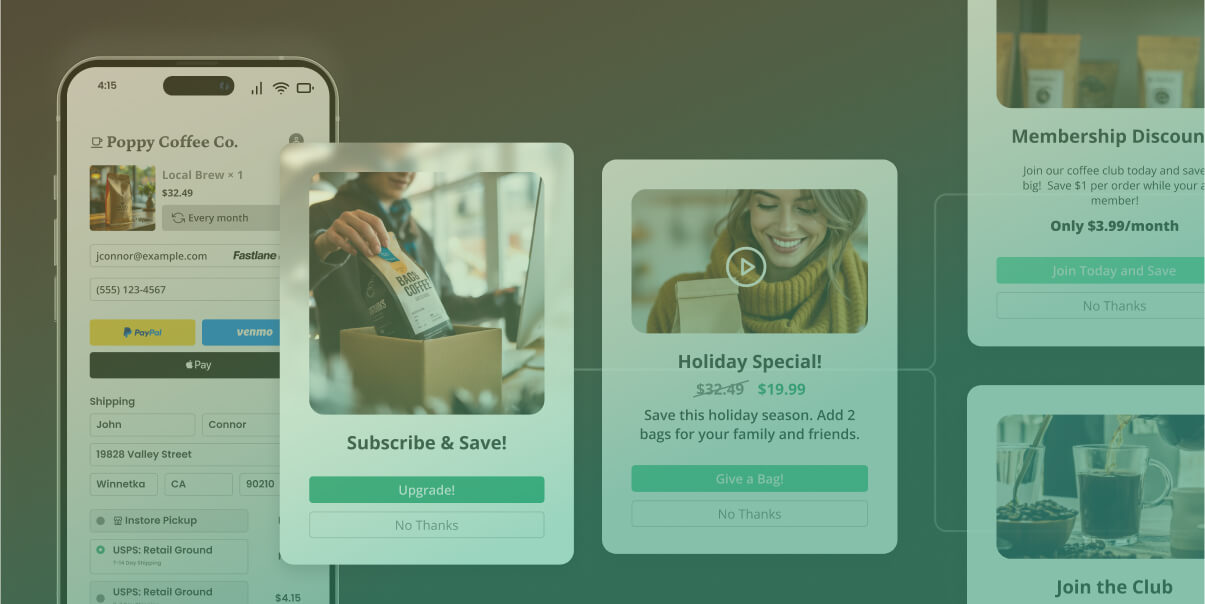
UltraCart’s built-in upsell, cross-sell, and downsell tools make it easy to increase revenue without additional marketing costs. With a visu…

In the rapidly evolving world of eCommerce, staying abreast of the latest design trends is crucial for creating shopping carts that not only…

In today’s competitive eCommerce world, boosting revenue isn’t just about driving more traffic—it’s about making every customer interaction …

In today’s mobile-first eCommerce world, a seamless checkout experience can make or break a sale. PayPal Fastlane is designed to boost conve…

In this webinar, we discuss the various ways Ultracart makes upsells easy and customizable for merchants. We'll demonstrate how to offer cus…
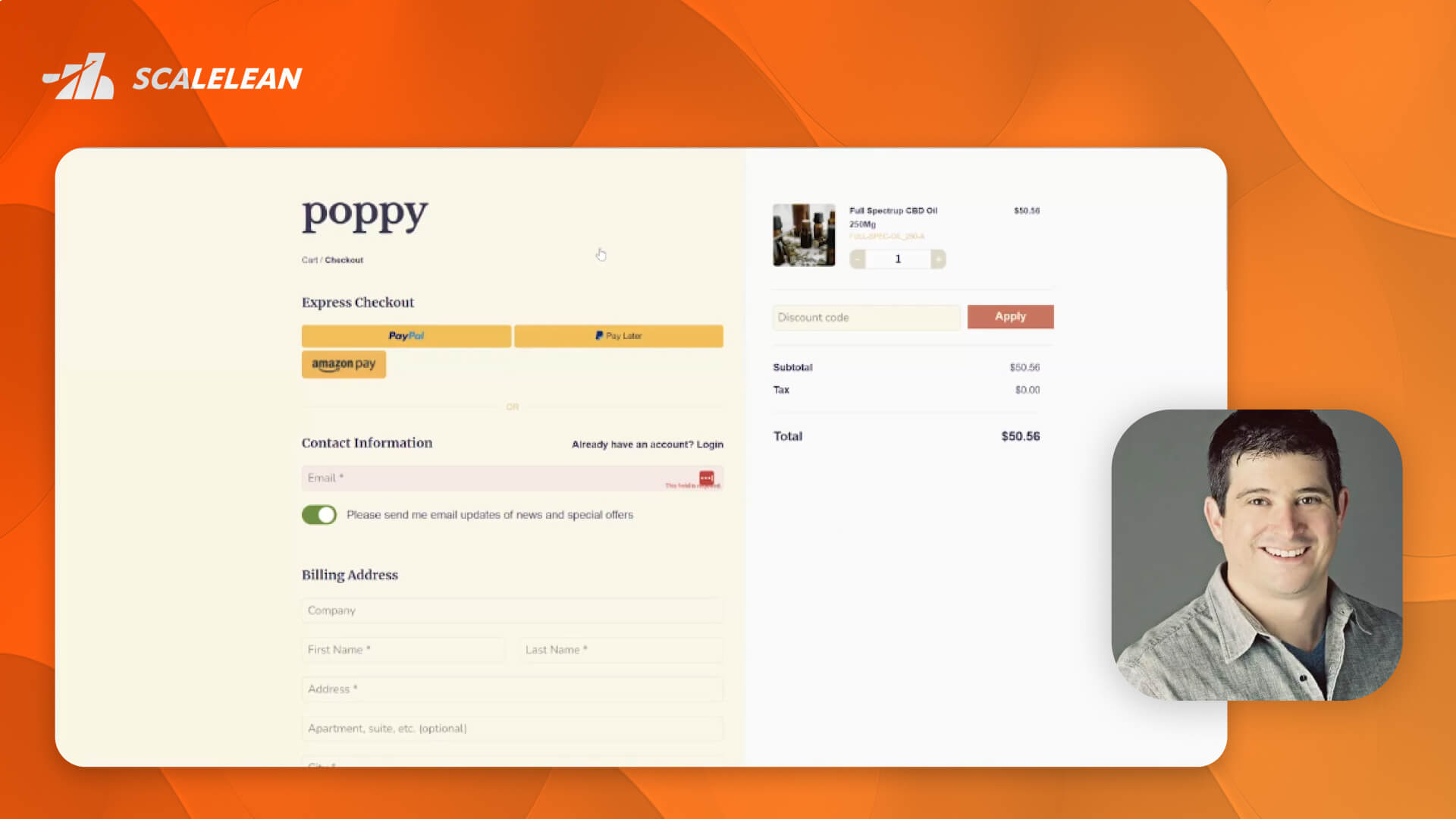
Single-Page Checkouts: Best Practices, Key Elements of Enhanced Checkout, Its all About Mobile, Reducing Friction and Abandonment, Increasin…
By implementing A/B testing with UltraCart's Experiment component, you can optimize your StoreFront's content, improving user engagement and…
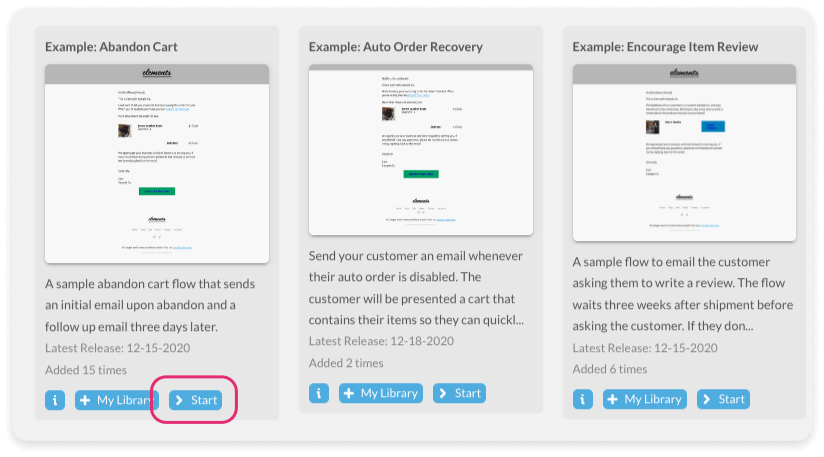
One of the most effective ways to improve your sales is with abandoned cart flows! Automatically send reminders to customers who leave items…
Shopping cart design, a topic that seems to have a million answers, so which way do you go?For many merchants, designing the shopping cart p…
Mobile devices boast the ability to keep people and their ideas connected. This promise has enticed millions of people each year to revere t…
Online merchants evaluate their ecommerce success with a flood of data recorded online. While the internet's impressive tracking abilities s…
Today's ecommerce market provides a wide selection of goods and services. Unless an ecommere merchant has the benefit of an established bran…
Choose processors, methods, and risk strategy.
Setting up fraud rules for online stores is usually where good intentions go to die: the settings page is long, the defaults are empty, and …

Shopping cart recurring billing looks simple until the second charge. A card that worked at checkout gets declined on the rebill, a customer…
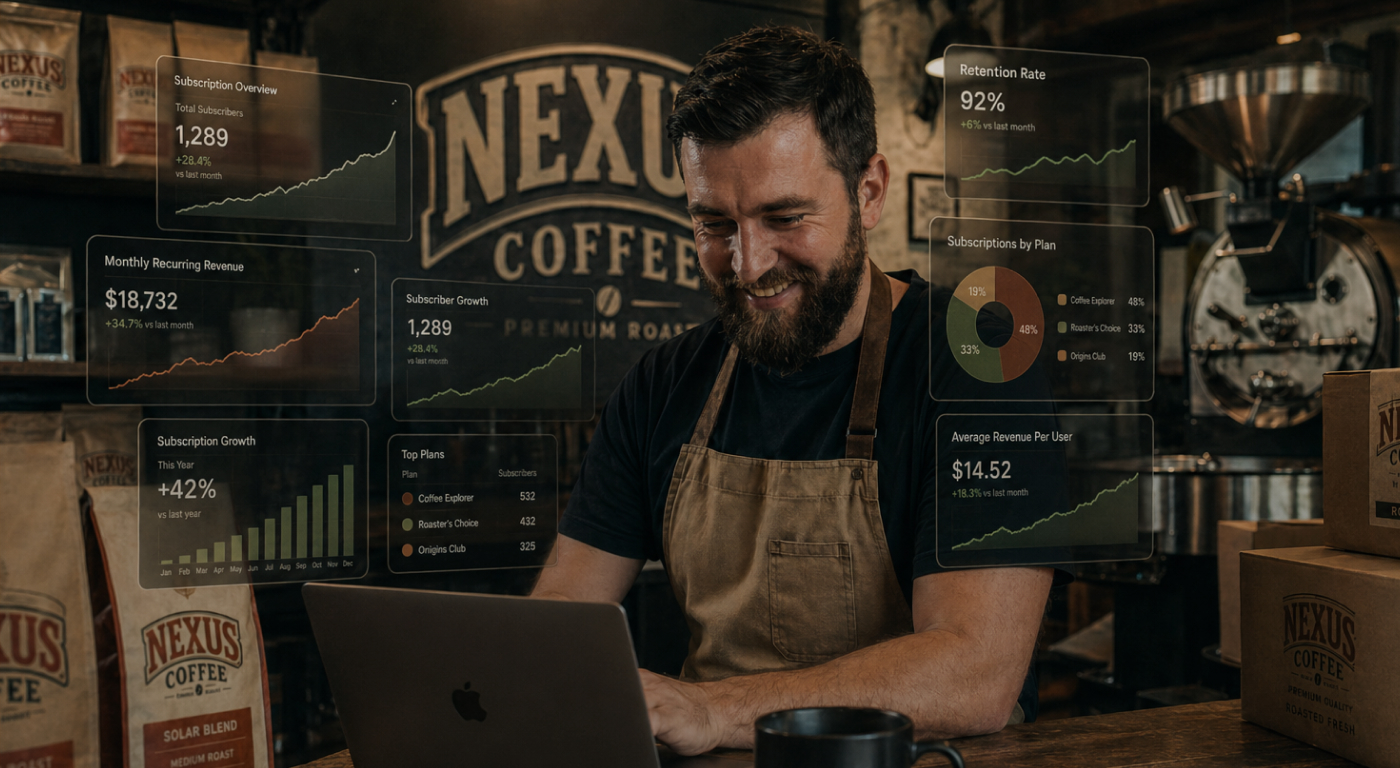
Built-in subscription management for ecommerce should not be a separate line item on your bill. On most platforms, recurring billing, checko…

Crypto is moving from “interesting” to expected—especially for brands selling to global, digitally native customers. But most merchants don’…

If your eCommerce storefront matches how shoppers already pay, your checkout converts more, especially on mobile. Below is a clear look at t…

Fraud can strike any eCommerce business — whether you're selling fashion, electronics, or subscriptions. UltraCart’s built-in Fraud Preventi…

There is no single best payment processor, only the best one for how your business sells. This guide compares the top payment processors for…

Credit card fraud remains a significant threat to online businesses. In 2023 alone, consumers in the U.S. reported losses surpassing $10 bil…
In today’s mobile-first eCommerce world, a seamless checkout experience can make or break a sale. PayPal Fastlane is designed to boost conve…
The majority of online customers want to use credit cards on the e-commerce sites they visit. Online merchants typically need to provide a s…
Rates, carriers, labels, and post-purchase.
Choosing a warehouse is the easy part. The ecommerce fulfillment integration between your store and that warehouse is what decides whether o…

Shipping address errors are one of the quietest profit leaks in eCommerce. A single wrong or incomplete address can trigger a carrier correc…

Ecommerce package tracking is one of the few tools that quietly pays for itself, cutting down the "where is my order?" messages that flood s…

eCommerce shipping management is one of the most operationally complex parts of running an online store. Between carrier accounts, rate comp…

Shipping is one of the most critical components of running a successful eCommerce business. Whether you're fulfilling orders yourself or lev…

Ecommerce fulfillment is the part of your store customers actually feel, the stretch between "order placed" and a package at the door. In 20…
Everyone dislikes shipping costs. Customers dislike it. Companies dislike it. Despite rising postal prices, most consumers expect shipping d…
Sales tax, VAT, regulations, and reporting.

Sales tax nexus for eCommerce sellers decides which states you have to collect tax in, and the rules just shifted in 2026. Here is how econo…

Every new year brings a fresh set of tax changes and compliance requirements. Staying up to date with these regulations can be overwhelming,…
Inventory, customer service, and team workflow.
AI product descriptions can save hours every week, but lazy AI workflows produce thin copy that hurts rankings, frustrates shoppers, and now…

An eCommerce data warehouse is no longer a nice-to-have reporting tool. It is the foundation every modern merchant leans on for CRM, AI agen…

UltraCart merchants can now build, visualize, and automate BigQuery reports using natural language and Claude Code. The new @ultracart/bq-sk…

Understanding what drives each customer from first email open to completed purchase has always required bouncing between reports, analytics,…

Most eCommerce teams want to use AI in customer service—but the real challenge isn’t “having AI.” The challenge is getting AI to respond usi…

If you’ve ever shipped an “obvious” improvement—only to see margins dip, refunds rise, or support tickets spike—you already know the dirty s…

When support lives where your data lives, customers feel the difference. UltraCart AI chat agents are built into your eCommerce storefront, …

Org charts show who reports to whom. Useful—but static. An AI work chart maps how work gets done across humans and AI, tied to outcomes inst…

In today’s competitive eCommerce landscape, simply having data isn’t enough—you need to understand it, act on it, and adapt quickly. That’s …

With the UltraCart AI‑Powered Dynamic Report Builder, merchants have the ability to explore, understand, and act on their ecommerce data lik…

When eCommerce meets efficient customer service, the result is a streamlined operation that delivers faster resolutions, better insights, an…

In today’s competitive eCommerce landscape, the brands that succeed are the ones that understand their data—and use it effectively. UltraCar…

UltraCart offers a suite of integrated tools designed to provide deep insights into customer behavior and order patterns, empowering you to …

In the competitive world of eCommerce, data is more than numbers on a screen—it's the foundation for growth, strategy, and profitability. Bu…

Understanding eCommerce analytics is essential for optimizing your storefront, maximizing revenue, and scaling operations. Whether you’re a …

In this recent UltraCart webinar, experts ScaleLean and UltraCart delved into best practices for tracking ad performance using both pixel an…

UltraCart Tasks, a powerful new task management system designed specifically for ecommerce businesses. Unlike generic task management platfo…

The holiday season is quickly approaching, and for eCommerce businesses, this time of year presents both exciting opportunities and unique c…
UltraCart Conversations equips your business with tools to enhance customer interactions and streamline communication. In this article, we’l…

Dive into the transformative power of integrating UltraCart's platform with Google BigQuery. This partnership enables merchants of all sizes…

In today’s competitive eCommerce landscape, understanding your customers' needs and preferences is crucial for success. One effective way to…
According to an ecommerce report released by the Virginia-based research firm ComScore, ecommerce spending rose 14% in the fourth quarter of…
Features, integrations, and how-tos.
The usual way to manage multiple ecommerce stores is one account per store, and every new store brings another subscription, another catalog…

A hosted shopping cart does more than collect items and process an order. It quietly takes hosting, security, PCI compliance, and software u…

You can now import product reviews into UltraCart in bulk, uploading years of existing customer feedback from a single spreadsheet instead o…

Address validation at checkout is the cheapest place to fix a bad shipping address: before the order is ever placed. UltraCart verifies and …
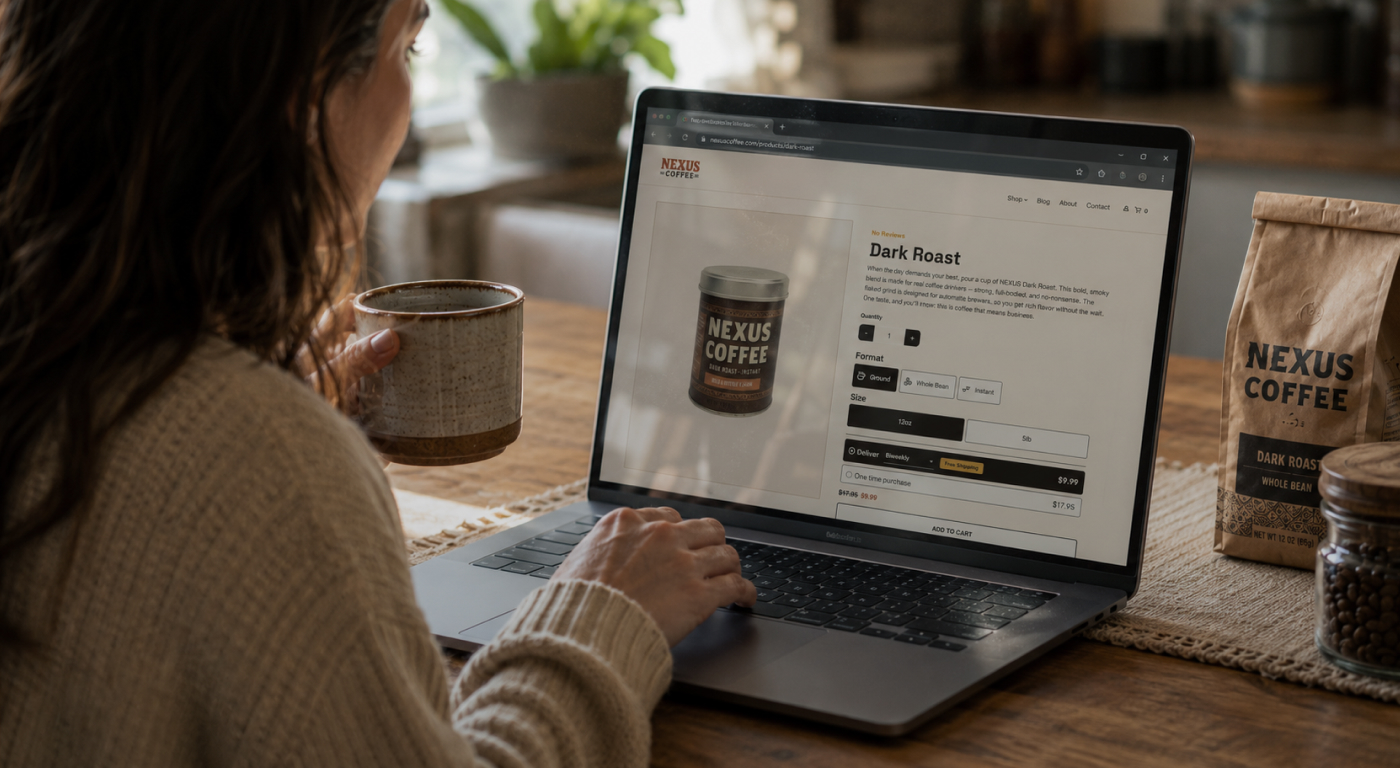
A product variation picker turns the plain "Please select…" dropdown into a row of styled buttons, cards, or swatches with live pricing bake…
Built-in subscription management for ecommerce should not be a separate line item on your bill. On most platforms, recurring billing, checko…
An eCommerce data warehouse is no longer a nice-to-have reporting tool. It is the foundation every modern merchant leans on for CRM, AI agen…
UltraCart merchants can now build, visualize, and automate BigQuery reports using natural language and Claude Code. The new @ultracart/bq-sk…
eCommerce shipping management is one of the most operationally complex parts of running an online store. Between carrier accounts, rate comp…

Agentic commerce is changing how customers buy online. AI agents now search, compare, and purchase products on behalf of shoppers without ev…

The eCommerce total cost of ownership on plugin-based platforms is far higher than the sticker price suggests. When you add up subscription …
Understanding what drives each customer from first email open to completed purchase has always required bouncing between reports, analytics,…
Most eCommerce teams want to use AI in customer service—but the real challenge isn’t “having AI.” The challenge is getting AI to respond usi…
UltraCart’s native upsell engine uses centralized store data to trigger more relevant upsells, cross-sells, and downsells at the right momen…
UltraCart’s native Flows engine uses centralized ecommerce data to power behavior-based customer journeys, triggering messages from real act…

This article explains how UltraCart’s centralized ecommerce data powers AI that actually knows your store—from native chat agents that can s…

The more of your ecommerce stack UltraCart powers natively, the more valuable your centralized data becomes—and the less time you spend duct…
When support lives where your data lives, customers feel the difference. UltraCart AI chat agents are built into your eCommerce storefront, …
In today’s competitive eCommerce landscape, simply having data isn’t enough—you need to understand it, act on it, and adapt quickly. That’s …
Shipping is one of the most critical components of running a successful eCommerce business. Whether you're fulfilling orders yourself or lev…
With the UltraCart AI‑Powered Dynamic Report Builder, merchants have the ability to explore, understand, and act on their ecommerce data lik…

At UltraCart, we’ve never shied away from a hard truth: our platform is complex. But that complexity isn’t a flaw—it’s a feature. It’s the r…
When eCommerce meets efficient customer service, the result is a streamlined operation that delivers faster resolutions, better insights, an…
In the competitive world of online shopping, standing still means falling behind. The most successful eCommerce brands aren’t just building …
In today’s competitive eCommerce landscape, the brands that succeed are the ones that understand their data—and use it effectively. UltraCar…

explore how UltraCart helps eCommerce veterans scale effectively with sophisticated tools built directly into the system—minimizing your nee…

We’ll walk you through the core fundamentals of launching your first store using UltraCart—an all-in-one eCommerce platform designed to grow…

In today’s fast-paced online marketplace, eCommerce success depends on more than just having a store. You need a reliable, feature-rich plat…
In the competitive world of eCommerce, data is more than numbers on a screen—it's the foundation for growth, strategy, and profitability. Bu…
Discover how UltraCart’s built-in loyalty program eliminates common eCommerce pain points such as high costs, complex integrations, and low …

Managing multiple online stores can be complex and costly—but it doesn’t have to be. UltraCart’s Multiple Storefronts feature allows you to …
Understanding eCommerce analytics is essential for optimizing your storefront, maximizing revenue, and scaling operations. Whether you’re a …
Effective communication and marketing are pivotal for ecommerce success, and UltraCart offers robust tools to help you achieve this—all with…
UltraCart Tasks, a powerful new task management system designed specifically for ecommerce businesses. Unlike generic task management platfo…
UltraCart Conversations equips your business with tools to enhance customer interactions and streamline communication. In this article, we’l…
Dive into the transformative power of integrating UltraCart's platform with Google BigQuery. This partnership enables merchants of all sizes…
Encouraging customers to write reviews after a purchase is a powerful tactic to build trust, enhance product offerings, and boost customer l…
By implementing A/B testing with UltraCart's Experiment component, you can optimize your StoreFront's content, improving user engagement and…
By effectively using HideIf and ShowIf components, you can ensure a seamless user experience while complying with regional restrictions. Thi…

The surge in tablet popularity has significantly altered consumer behavior, prompting many online merchants to adapt their eCommerce storefr…
For online retailers whose brands may not be as far reaching as the nationals, creating immediate trust is often the difference between clic…
With Americans spending nearly $31 billion dollars online during last year's holiday shopping season, many new ecommerce retailers are eager…
Whether you are now selling digital media or not, the advantages of either doing it exclusively or even adding it to a physical product line…
Get started with UltraCart in just a few simple steps. No long commitments, no complicated setup. Just a streamlined experience designed to get your store live and making sales.
Transparent pricing that grows with your business. No hidden fees, just the tools you need to succeed.
Pricing and PlansFriendly support ready to help you launch, grow, and answer any questions along the way.
Contact Support


