
x

Intuit QuickBooks
Streamline your ecommerce accounting with the UltraCart QuickBooks Online integration. Automatically sync orders, sales tax, customers, and payment data to maintain accurate, up-to-the-minute financial records, freeing up time to focus on growth.

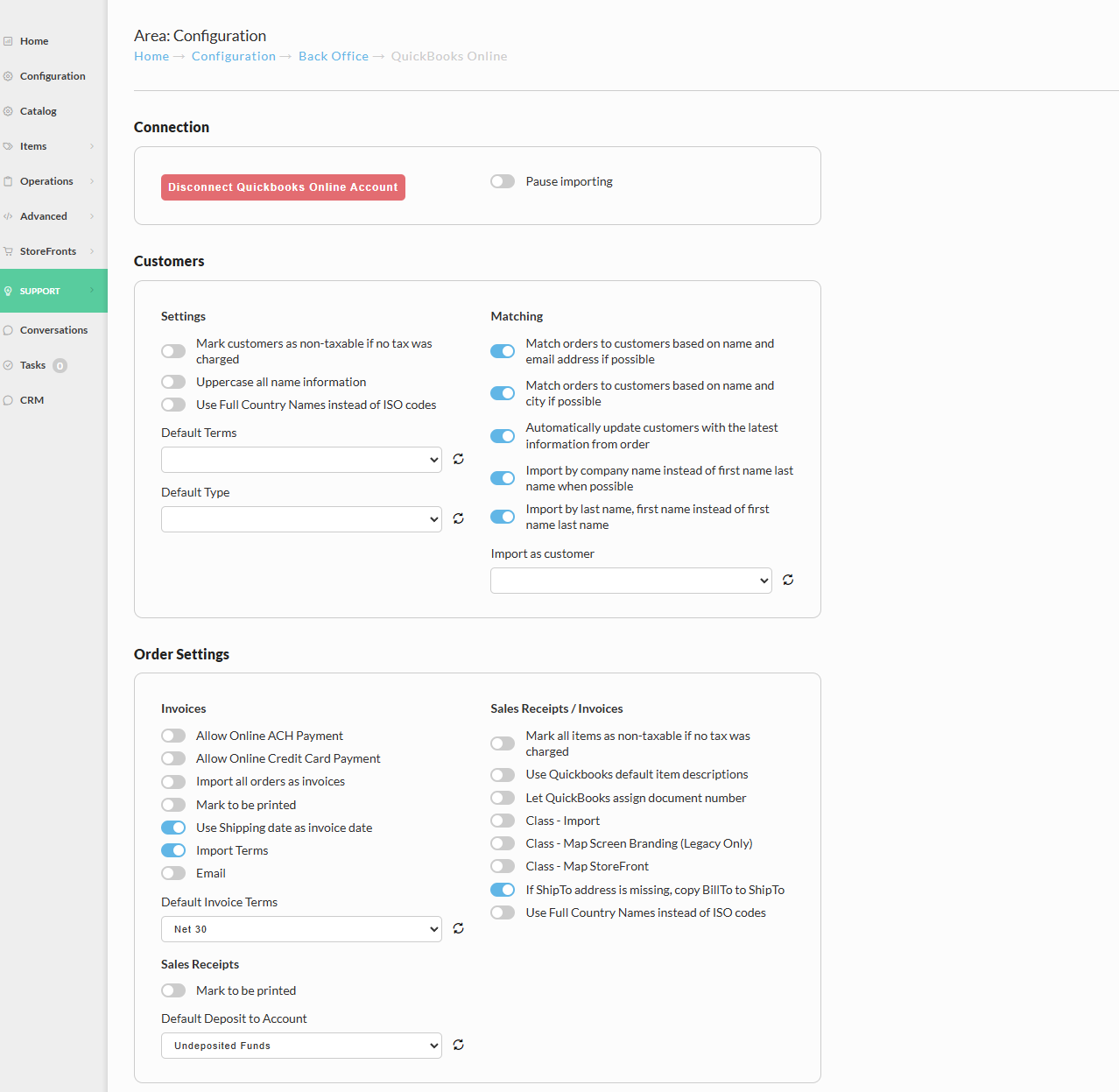
QuickBooks Online (QBO) is the world's leading cloud-based accounting platform, trusted by millions of small and mid-market businesses to manage their financials, invoicing, payroll, and reporting. It provides the essential tools businesses need to track income and expenses, accept payments, and get a clear picture of their profitability.
For high-volume merchants, manual data entry between your shopping cart and your accounting system is a significant drain on resources and a common source of errors. The UltraCart QuickBooks integration eliminates this burden by automatically transferring sales data, including invoices, refunds, and shipping fees, directly into your QBO account. This ensures you are audit-ready and always have a precise P&L statement, a necessity for scaling ecommerce operations.
The synergy between UltraCart and QuickBooks Online is built for transactional accuracy. Unlike basic integrations, UltraCart's sync is designed to handle complex scenarios like multi-currency transactions, nuanced sales tax calculations, and fulfillment fees, mapping them precisely to your specified QBO accounts. This deep, granular financial data integration ensures that your books truly reflect the comprehensive, high-velocity commerce handled by UltraCart.
- Automated Order & Invoice Sync:Automatically create sales receipts and invoices in QBO as soon as an order is placed and shipped in UltraCart.
- Accurate Sales Tax Mapping:Automatically sync sales tax collected by UltraCart and map it to the correct liability accounts in QuickBooks, simplifying your tax filings.
- Detailed Customer Records:New customer information from UltraCart is automatically created or updated in QBO, providing a unified customer view for better financial management.
- Refund & Void Synchronization:Process refunds, returns, and order voids in UltraCart, and watch the corresponding journal entries update in QuickBooks instantly and accurately.
- Flexible Data Mapping:Gain full control over how products, payment gateways, and shipping fees are mapped to specific Chart of Accounts for clean and customized reporting.
Explore Integrations by Category
Accounting
QuickBooks, QuickBooks Online, Oracle NetSuite, etc.
AI
PayPal Agentic Commerce, AI Agents, Webchat, etc.
Affiliates
UltraCart Affiliate Management, Everflow, iDevAffiliate, etc.
Analytics & Reporting
Reports and Dashboards, Screen Recording, Google, etc.
Call Centers
GreatFalls, West, TeleDirect, Teleperformance, etc.
CRM
UltraCart CRM, Hubspot, Salesforce, Zoho, etc.
Fulfillment
Extensiv, Fulex, Fulfillment by Amazon, ShipStation, etc.
Items
Subscriptions, Reviews, Digital, Activation Codes, etc.
Loyalty & Discounts
UltraCart Coupons, Gift Cards, Loyalty, etc.
Marketing
UltraCart Communication, Mailchimp, Klaviyo, etc.
Membership
aMember, Kajabi, Wishlist Member, etc.
Operations
AI Agents, Reports and Dashboards, Tasks, etc.
Payment
PayPal, Stripe, Amazon Payments, Authorize.net, etc.
Rev Enhancement
A/B Testing, Upsells and Downsells, AR Retry, etc.
Shipment
UltraShip, FedEx, Stamps.com, AfterShip, DHL, etc.
Taxes
Avalara, Sovos, TaxJar, etc.
Transfer & Migration
Shopify, BigCommerce, WooCommerce, Custom Import Tools.
Advanced
eBay, EDI, UltraCart API and Webhooks, etc.
Support
Our dedicated, support team is here to help you every step of the way!
Never outsourced. 100% in-house, US-based support.
Talk to real people who understand your business—no AI bots, no automated responses. Our experienced team is ready to help you solve problems, big or small.
Learn MoreQuick answers to common questions.
Need assistance fast? Access our robust knowledge base or connect with a support representative for swift resolutions.
View FAQExtensive documentation and code examples.
Dive into our detailed guides and examples to optimize your UltraCart experience. From setup to advanced features, our resources cover it all.
View DocsPersonalized phone and email support.
Pick up the phone and speak directly with our expert team, or send an email for personalized assistance tailored to your needs.
Reach Out!Video training tutorials, guides and tips.
Explore a library of easy-to-follow video resources to master every feature of UltraCart and maximize your eCommerce success.
View VideosOnboarding Assistance for New Merchants.
Get personalized help setting up your store, adding products, and integrating payment gateways to launch quickly and confidently.
Contact Support